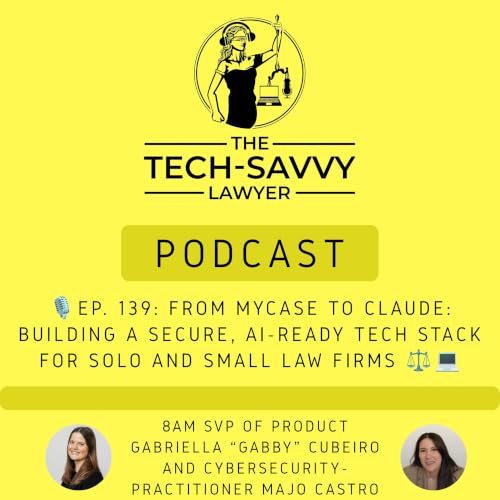
The Tech Savvy Lawyer cover art

The Tech Savvy Lawyer

The Tech Savvy Lawyer

By: Michael D.J. Eisenberg
Listen for free

The Tech Savvy Lawyer interviews Judges, Lawyers, and other professionals discussing utilizing technology in the practice of law. It may springboard an idea and help you in your own pursuit of the business we call "practicing law". Please join us for interesting conversations enjoyable at any tech skill level!© ℗ 2020 Michael D.J. Eisenberg Politics & Government
Episodes
  • 🎙️ Ep. 139, From MyCase to Claude: Building a Secure, AI-Ready Tech Stack for Solo and Small Law Firms.
    Jun 23 2026
    My next guests are Gabriella "Gabby" Cabero, Senior Vice President of Product at 8am — the legal tech company behind MyCase, LawPay, CASEpeer, and DocketWise — and Majo Castro, founder and managing attorney at CastroMand Legal in Austin, Texas. 🌟 Gabby brings over 16 years of legal tech experience, including co-founding CASEpeer, and today leads product strategy for one of the most widely used law practice management ecosystems in the country. Majo is a Venezuelan-born cybersecurity and AI attorney whose firm helps growing companies navigate AI implementation, data management, and cybersecurity — and she's also the voice behind The Cyber Law Gal on Substack. 🔐 Together, they deliver a frank, peer-level conversation about building a tech stack that's both AI-ready and genuinely secure — without the hype and without the hand-holding. Join Gabriella Cabero, Majo Castro, and me as we discuss the following three questions and more! What are the top three integrations or workflows a solo, small, or midsize firm should expect from a modern cloud-based LPM platform like 8am — and what's missing that signals a real red flag around efficiency, cash flow, or security?As AI gets baked into cloud LPM tools like 8am, what are the top three day-to-day tasks that will change most for solo and small firm lawyers — and what basic security or ethical guardrails should they put in place to use those AI features without putting client data at risk?For solo and small firms without a CISO or CTO, what are the top three cybersecurity mistakes you see over and over again? In our conversation, we cover the following: [00:00:00] 🪝 Show Hook — Gabby's critical warning: if your firm hasn't "adopted" AI, your employees probably already have — on free consumer tools[00:00:00] Title read — Episode 139[00:01:00] Host intro: why this conversation goes tactical on AI, security, and LPM workflows[00:02:00] Guest introductions — Gabriella Cabero (8am/MyCase) and Majo Castro (CastroMand Legal / The Cyber Law Gal)[00:03:00] Majo celebrates 1.5 years as a solo practitioner 🎉[00:03:00] Ad: Five-star review request for The Tech-Savvy Lawyer.Page[00:03:30] Tech setups — Gabby's MacBook Air (M4 chip), iPhone Max, Slack, Zoom, Google Drive, Claude Enterprise[00:06:00] Gabby's portable USB-C external monitor for travel (Amazon, highest-rated)[00:09:00] Majo's MacBook Pro 14" M4 (16GB RAM), performance issues, upgrade path discussion[00:10:00] Michael recommends Onyx (free Mac maintenance utility); Michael's Mac Studio M3 Ultra with 256GB[00:11:00] Mac Mini and Mac Studio as desktop alternatives; MacRumors Buyer's Guide tip[00:13:00] Apple Business Account benefits — small discounts + white-glove service[00:15:00] Majo's full setup: iPhone 16 Pro Max, Google Workspace + Gemini (team account with DPA), DJI Osmo Pocket 3, Hollyland wireless mic[00:16:00] Q1: Top three LPM workflows — intake, secure client communication (client portal), and getting paid (trust accounting + automated invoicing)[00:19:00] Majo on switching from QuickBooks to MyCase after discovering QuickBooks mishandles trust accounting[00:20:00] 🎉 Gabby announces: AI case summary features are now LIVE in 8am/MyCase[00:21:00] Cloud vs. local access debate — SaaS uptime, SLAs, and asking vendors for proof[00:23:00] Michael's redundant backup strategy: Backblaze + Dropbox + local Mac Mini[00:25:00] Cautionary tale: ransomware attack converts a server-based firm to the cloud overnight[00:28:00] Majo's Google Drive third-party backup with 2-hour recovery window[00:29:00] Q2: How AI changes daily workflows — drafting, case summaries, surfacing critical info fast[00:30:00] Why reading vendor Terms of Service and activating Data Processing Agreements (DPAs) is non-negotiable[00:31:00] 8am's SOC 2 Type 2 compliance; updated AI terms and opt-in controls coming[00:32:00] SOC 2, HIPAA, end-to-end encryption as baseline vendor security requirements[00:34:00] AI as the great equalizer — leveling the playing field for solo firms vs. BigLaw[00:35:00] Majo's real data: ~12 hours saved last month across 27 consultations using Gemini for proposals[00:36:00] Plaud and Pocket AI recording devices — data retention, PII, and DPA concerns[00:37:00] Majo's stance on wearable AI recorders; Apple Watch comparison; one-party vs. two-party consent[00:39:00] Plaud's terms say no AI training — but it's not a DPA; terms can change without notice 🚨[00:40:00] Google Workspace DPA must be manually activated — most users don't know; creating user friction around protection[00:41:00] Q3: Top cybersecurity mistakes — shadow AI, no MFA, undertrained employees[00:42:00] Majo's checklist: DPA + no model training on client data + enterprise/team-tier subscriptions + MFA[00:43:00] Gabby: employees are the #1 security risk; fractional IT and CISO options for small firms[00:44:00] AI-powered phishing attacks on law firms will only intensify[00:45:00] Majo's training ...
    Show More Show Less
    50 mins
  • 🎙️ Ep. 138: How US Legal Support Integrates AI, Security, and Remote Depositions into Your Litigation Tech Stack ⚖️💻
    Jun 9 2026
    My next guest is Jimmy Bridwell, an executive with US Legal Support, a nationwide litigation support company headquartered in Houston, Texas that provides remote deposition solutions, transcription services, record retrieval, trial technology, and graphics generation for law firms of all sizes. In this episode, we unpack how US Legal Support's technology platform integrates with law firm systems, why security and data management are non‑negotiable, and how AI‑assisted transcript and deposition tools are reshaping trial preparation and remote proceedings for modern litigators.📜🤖 Join Jimmy Bridwell and me as we discuss the following three questions and more! What are the top three ways lawyers should expect companies like US Legal Support's technology platforms — whether remote deposition solutions, transcription services, or document management — to integrate seamlessly into a law firm's existing tech stack to eliminate duplicative data entry and streamline trial preparation? What are the top three technology investments or skillsets that lawyers consistently overlook, but would dramatically improve their practice efficiency and client services in 2026? Based on US Legal Support's experience facilitating over 245,000 remote events annually, what are the top three technology mistakes you see lawyers making during remote depositions or virtual proceedings, and how can they course correct to deliver more efficient client representation? In our conversation, we cover the following [00:00:00] Jimmy's current tech setup: Surface Pro laptop, 47‑inch curved Samsung monitor, HyperCast standalone microphone, and Logitech Brio camera in a Microsoft‑based office using Microsoft Cloud.📺🖥️ [00:00:45] Working with both Android and Apple smartphones, and why Jimmy uses Apple for work due to perceived security and litigation hold considerations. [00:01:20] How US Legal Support deploys Apple computers in graphics studios while running a primarily Microsoft infrastructure and cloud environment across the enterprise. [00:02:00] Question 1 introduction: how US Legal Support's platforms should integrate into law firm tech stacks to reduce duplicate data entry and streamline trial workflows. [00:02:15] Why integration, security, and data management are the three primary pillars when transmitting client information between firms and service providers. [00:03:00] The risks of multiple data entry points and why centralized, consistent first input across the litigation lifecycle is critical. [00:03:40] US Legal Support's security posture: internal SOC 2 Type 2 validation, HIPAA compliance, NIST protocols, and reliance on Microsoft and Amazon cloud with SOC 2 Type 2 security. [00:04:40] Practical security questions solo and small firm attorneys should ask vendors about encryption at rest and in transit, security reviews, and penetration testing. [00:06:00] Data breach reporting expectations and the need for a published, timely breach notification process for clients. [00:07:30] Data management concerns: how vendors use client data, prohibitions on reselling data, and the importance of 24/7 self‑service access to discovery materials and litigation documents. [00:08:30] Integration realities: standard and customized APIs, multipoint‑to‑endpoint data flows, and why experience with case management integrations matters. [00:11:00] Question 2 introduction: the top three overlooked technology investments and skillsets that could dramatically improve practice efficiency and client service in 2026. [00:11:15] AI‑assisted transcript review: summarizing long depositions, key‑noting, keywording, and surfacing strategic themes to accelerate trial preparation. [00:12:20] Validating AI outputs, the attorney's continuing liability, and why AI‑assisted transcript review pulls from the deposition record rather than external sources, reducing hallucination risk. [00:14:10] AI‑assisted deposition preparation tool: ingesting exhibits, medical records, and discovery into a secure portal, generating case outlines, identifying pre‑existing conditions, and suggesting deposition questions in minutes instead of hours. [00:15:40] How Jimmy and Michael compare legacy OCR workflows with modern AI, and why AI no longer depends on rigid templates to extract key data. [00:17:00] The importance of partnering with holistic solution providers who can address multiple points of the litigation lifecycle rather than just one narrow problem. [00:18:00] How the market has evolved from mom‑and‑pop shops with limited tech budgets to larger litigation support organizations that invest heavily in technology and continuous development. [00:19:10] The tension between long‑term SaaS contracts and rapidly evolving legal tech, and why Jimmy favors transactional, "pay as you...
    Show More Show Less
    33 mins
  • 🎙️Ep. #137 - Family Online Safety, COPPA 2.0, and AI Chatbots: What Every Lawyer Needs to Know 👩‍⚖️📱
    May 26 2026
    My next guest is Andrew Zach, Senior Policy Counsel at the Family Online Safety Institute (FOSI), a Washington, DC–based nonprofit focused on making the online world safer for kids and families through policy, research, digital parenting resources, and industry best practices. Andrew and I dive into how lawyers in any practice area—family law, criminal, corporate, or solo—can build family-centered online safety into their tech stack, from law practice management systems and client portals to AI chatbots, social media, and messaging tools. We unpack COPPA and the coming "COPPA 2.0," emerging age assurance laws, parental responsibility online, and what bar associations should prioritize in CLE programming so lawyers can use technology responsibly while supporting parents and caregivers. Join Andrew and me as we discuss the following three questions and more! ⚖️💻 What are the top three practical steps every lawyer should take to bake in family‑centered online safety when designing client‑facing tech, websites, portals, intake forms, messaging, and social media?What are the top three technology tools or configurations law firms should implement to better protect children and teens who may be affected by legal technology, whether they are direct clients in a family matter or simply sharing devices with adult clients?If you were advising bar associations and practice‑area leaders, what would be the top three CLE or policy priorities to ensure lawyers responsibly use AI, client portals, and other digital tools while supporting parents and caregivers in keeping families safe online? In our conversation, we cover the following ⏱️ 00:00 – Welcoming Andrew and his current tech setup: MacBook Pro, external monitor, iPhones, and wired Bose headphones 🎧01:00 – What is FOSI and how it works across policy, digital parenting, and industry best practices to keep families safer online 🌐02:00 – COPPA basics: verifiable parental consent for under‑13 data, why COPPA is dated, and the patchwork of state privacy laws filling the federal gap 📜03:00 – California privacy leadership, international regimes (like Europe), and why the US needs a comprehensive data privacy law with limits on collection, use, storage, and sale of personal data 🧩04:00 – HIPAA, SOC 2, agentic AI chatbots on legal websites, and why notice, consent, and data minimization matter for law firms adopting AI‑driven intake and support tools 🤖05:00 – Data minimization as a safeguard when storage or breaches go wrong; retention and disclosure issues in worst‑case scenarios 📂05:30 – Handling sensitive images in legal practice (family photos, abuse evidence) and why state‑by‑state rules make it hard to manage online safety and data privacy consistently 🧾06:00 – Why a stronger federal law is needed, and what COPPA 2.0 (Children and Teens Online Privacy Protection Act) could change, including raising the age of digital consent and protecting teens from targeted advertising 🎯07:00 – Everyday scenarios: sharing kids' photos with family, private messaging vs social media, and why limiting audience and avoiding "questionable" content is critical 👨‍👩‍👧‍👦08:00 – Why "private" Facebook accounts with many friends still are not private enough for potentially risky images and what safer sharing looks like 🔒09:00 – Keeping audiences limited in litigation and family law contexts while complying with legal guidelines for highly sensitive evidence 📁10:00 – Defining age assurance vs age verification, and how tools like facial age estimation, IDs, and self‑declaration fit into online safety compliance 🧑‍💻11:00 – International and US examples: UK social media age checks, Australia's age assurance trials, and Texas cases on adult sites and app‑store‑level verification ⚖️12:00 – Free Speech Coalition v. Paxton upholding age verification for adult sites versus the App Store Accountability Act's broader mandate and why it was enjoined 🏛️13:00 – Financial harm to parents from kids' unsupervised app purchases and concerns about access to "harmful content" through apps and social media 💳14:00 – Is there such a thing as "age insurance"? Exploring liability, coverage, and why Andrew is not aware of a product like that 🧾15:00 – Apple vs Facebook on data tracking: long terms of service, Apple's "Ask App Not to Track" pop‑up, and "arms race" messaging around personalization and privacy 📲16:00 – Communicating data practices clearly to users and kids; age‑appropriate disclosures and the role of legislation in requiring plain‑language privacy notices 🧠17:00 – "Kids' accounts" on platforms like Instagram, retrofitting protections vs safety by design, and what private‑by‑default, constrained communication can look like for teens 🧒18:00 – Culture of responsibility: six entities in online safety (industry, policymakers, law enforcement,...
    Show More Show Less
    33 mins
adbl_web_anon_alc_button_suppression_t1
No reviews yet